To find Twitter mentions on x.com, search for three things: your handle, your brand or product name, and your domain. A tagged mention uses your handle, like @yourhandle
The hard part is not typing the first search. The hard part is removing your own posts, link spam, retweets, unrelated meanings, and official-account noise until the results are worth reading. Once the query is clean, you can keep using it manually on x.com or automate it as a Twitter mention alert.
If you are still choosing software, compare the best Twitter monitoring tools first. This article explains how to build the search; the comparison article explains which tools are worth using for alerts.
How to search for mentions on x.com
The reliable workflow is to start broad, inspect the results, then subtract the obvious junk:
- Search tagged mentions with your handle:
@yourhandle - Search untagged mentions with your brand name and domain:
"Your Brand" OR yourbrand.com - Exclude your own posts:
-from:@yourhandle - Remove link-heavy spam:
-filter:links - Remove repeated shares when they are not useful:
-filter:retweets - Add language or context filters when the name is ambiguous:
lang:en - When the results look right, save or automate the query so you do not have to keep checking x.com manually.
A good first query for your own brand usually looks like this:
(@yourhandle OR "Your Brand" OR yourbrand.com)
-from:@yourhandle -filter:links
That query finds direct handle mentions, untagged brand mentions, and domain mentions, while excluding your own account and most promotional link spam. From there, inspect the actual results before adding more exclusions. If you want alerts instead of another recurring x.com search, Syften can automate the final query and send new matches to email, Slack, RSS, API, or webhook.
Tagged mentions are not the same as untagged mentions
A tagged Twitter mention includes an account handle. If someone writes @syften_com
An untagged Twitter mention does not include the handle. Someone might write “Syften”, link to syften.com, ask for a Syften alternative, compare Syften with another tool, or talk about the problem Syften solves without knowing the account name. Those mentions need keyword searches, domain searches, exact phrases, boolean operators, and exclusions.
This is not a rare edge case. When we analyzed 143,498 saved X/Twitter matches from Syften's archive, 31.2% of brand and product mentions had no account handle at all after we removed broad keyword searches, handle-only filters, duplicates, and retweets. That is why a useful Twitter mention search should include the name and domain, not just the handle.
For a brand like Syften, the query is:
@syften_com OR
(syften lang:en) OR
syften.com
The lang:en
Useful x.com search operators for Twitter mentions
These are the operators I reach for most often when cleaning up Twitter mention searches:
| Operator | What it does | Example |
|---|---|---|
| Finds posts that mention an account handle. | |
| Finds an exact phrase. | |
| Combines several ways people might mention the same thing. | |
| Excludes posts from a specific account. | |
| Excludes posts that contain links. | |
| Excludes retweets. | |
| Limits results to English-language posts. | |
Do not add every operator at once. Search, inspect, subtract one obvious source of noise, and inspect again. That is slower than writing a clever-looking query in one pass, but it produces a better filter.
Finding mentions on Twitter without the bot spam
Let's say we're interested in people talking about HubSpot. Start with a broad x.com search for the company name and inspect the results before adding filters. Here is what the raw search gives us:
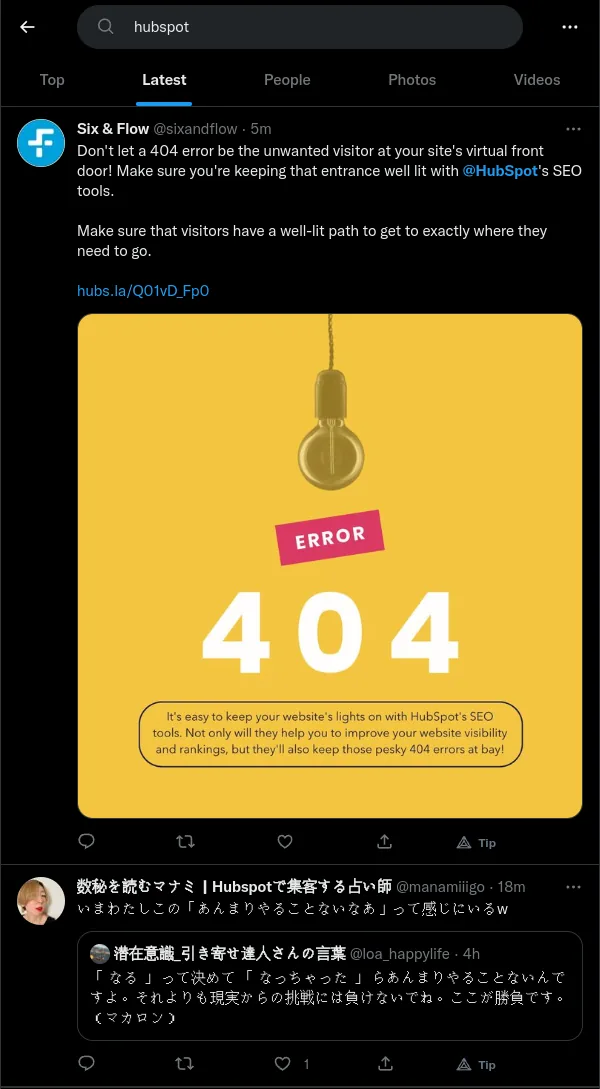
Before cleanup: a search for HubSpot mixes promotion with unrelated results.
What a mess! That is what Twitter looks like without The Algorithm: promotional posts, account updates, link-heavy posts, and barely related results all mixed together.
The first step is excluding the official HubSpot company account. If you do not already know the exact handle, search for it:
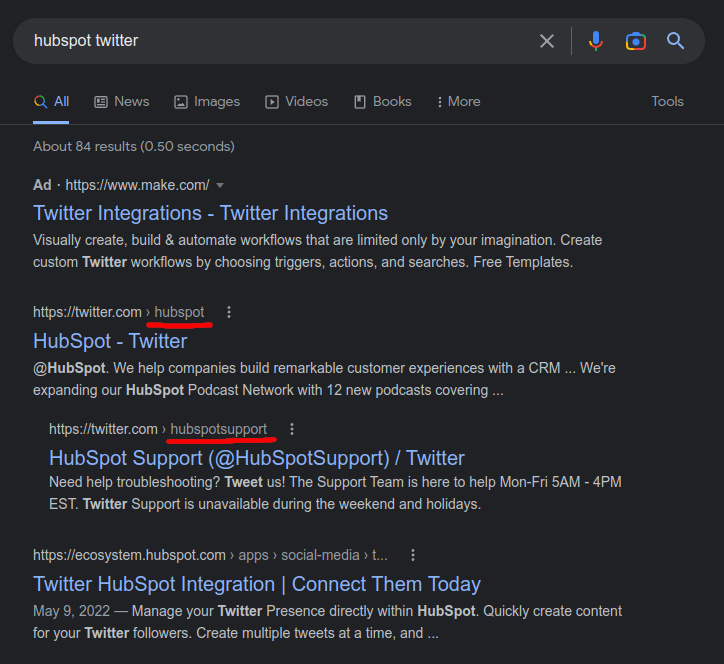
It seems like they have two company accounts. Exclude them, and while we're at it, exclude posts that contain links. A genuine discussion can have a link, but self-promotion, coupon spam, and affiliate posts almost always have one.
Let's append -from:@hubspot -from:@hubspotsupport -filter:links
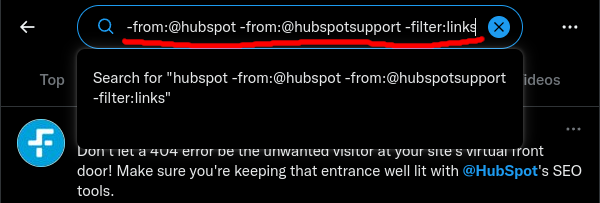
It's starting to look good:
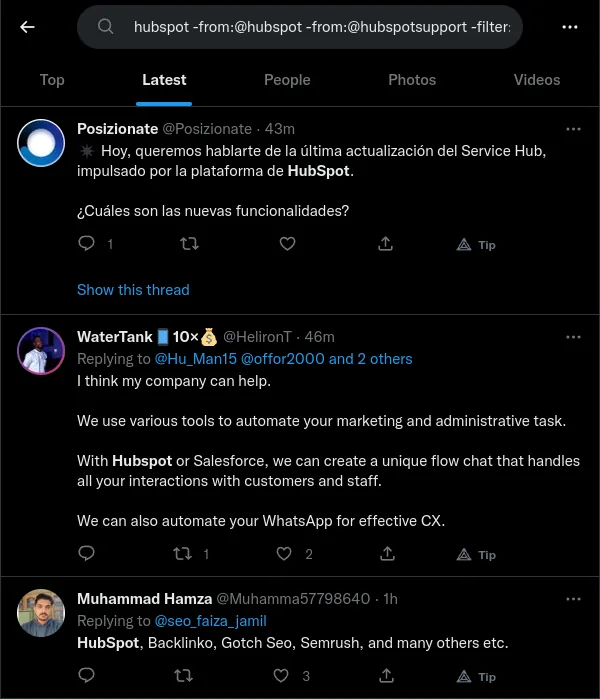
The company accounts and linked posts are gone; language is the next thing to filter.
Unlike Reddit, Twitter conversations are international. For this example, let's exclude everything that's not in English.
Let's append lang:en
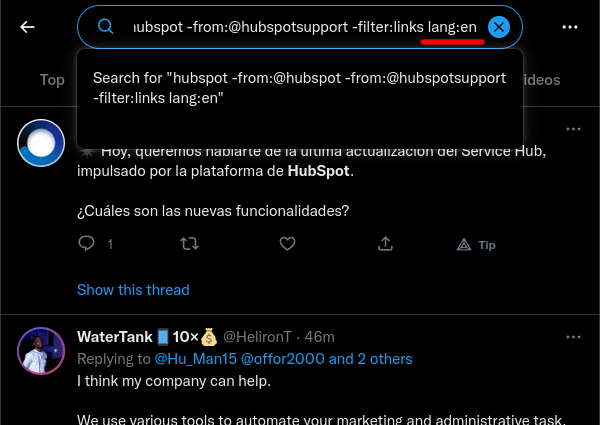
Whether to filter out retweets depends on the job. If you're a small company and want to thank people who share your posts, keep retweets in. If you are monitoring a broad term like HubSpot, retweets usually multiply the same result without adding much context.
Let's append -filter:retweets
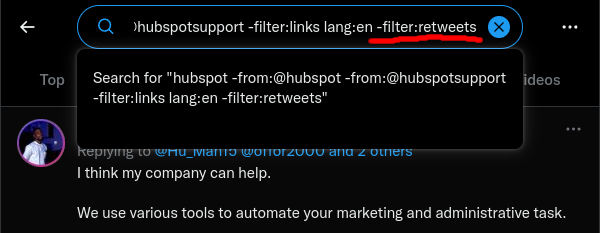
Even after this cleanup, a Twitter mention search will still catch some spam:
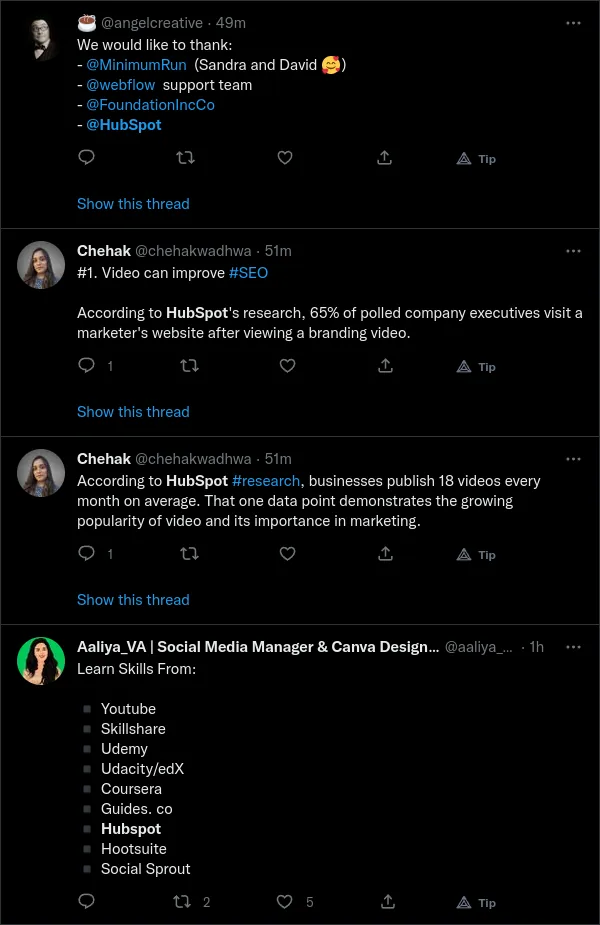
Still plenty of keyword matches that aren't useful conversations.
But we also get a reasonable number of genuine conversations:
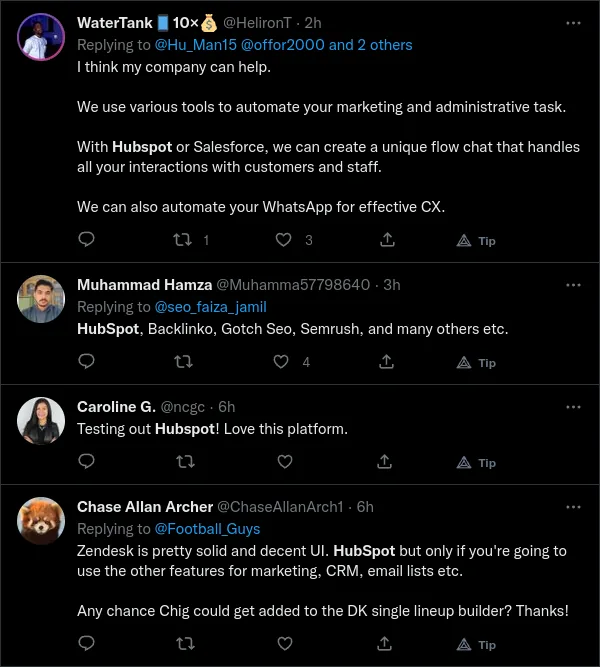
Look for people trying the product or discussing when they'd use it.
The query is not perfect, but it is useful. The remaining problem is repetition: you do not want to run the same search every morning.
How to track mentions on Twitter without checking x.com manually
Manual search is fine for one-off research, launches, and query debugging. Automated tracking is better when timing matters: support problems, competitor comparison threads, “any alternatives?” posts, buying signals, and comments from people you want to answer while the conversation is still active.
Once a query works on x.com, open Setup → Twitter, enable X monitoring, and sign in with an X account. X monitoring requires payment details even during the trial.
In the Filters tab, put each query on its own line and choose Save Filters. Here is a Syften brand filter that keeps replies and linked posts while excluding our own posts, retweets, and Swedish-language matches:
(syften OR @syften_com OR url:syften.com) -from:syften_com -is:retweet -lang:sv $tag:brandThe parentheses make the exclusions apply to all three ways of mentioning Syften. The url: operator searches linked URLs; excluding every post with a link would lose those mentions. Use Preview on X beside the filter to inspect recent posts. That preview runs on x.com; it does not run Syften's AI filtering.
For Slack alerts, open Setup → Slack, install the Syften app, and choose a channel with the brand tag. For email, open Setup → E-Mail and choose Send immediately or a digest schedule. The destination's tag must match $tag:brand; choosing all receives every filter.
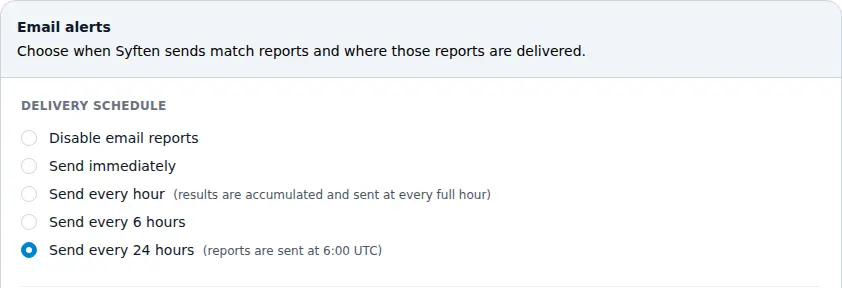
Choose Send immediately for individual alerts, or a digest schedule to accumulate matches.
X monitoring costs $40/month on top of a Standard or PRO subscription and allows up to 65 filters and 1,000 tweets per calendar month. Alerts can take up to 15 minutes, before any email digest delay. In Setup → Twitter → Quotas, check usage, adjust the daily soft quota, or authorize overage at $0.04 per additional tweet. See the current plans.
When keyword filters still leave borderline matches, Syften can also do AI post-filtering with $accept. $accept is Syften-only: after a post matches your query, AI checks your rule before Syften alerts you. For the filter above, append $accept:"true if the post mentions Syften (syften.com) the product, even briefly; false otherwise."
Why the syntax changes in Syften
You may notice that the saved Syften query looks slightly different from the query you tested on x.com. The x.com search bar uses -filter:links-filter:retweets-has:links-is:retweet
Syften does simple operator replacement underneath for a smoother experience, so a copy-and-paste will work fine. For advanced API-only operators, refer to the official X API documentation. For AI post-filtering, see the Syften AI filtering documentation.
Common Twitter mention searches
Use these as starting points, then preview and tighten them against the real results:
- Tagged brand mentions:
@yourhandle - Untagged brand mentions:
"Your Brand" OR yourbrand.com - Brand mentions without your own posts:
"Your Brand" -from:@yourhandle - English mentions without link spam:
"Your Brand" lang:en -filter:links - Competitor monitoring:
competitor -from:@competitor -filter:links -filter:retweets - Alternative-seeking posts:
("alternative to competitor" OR "competitor alternative") -filter:links
If you paste those examples into Syften, searches that use -filter:links-filter:retweets
Twitter mention FAQ
How do I see mentions on Twitter?
Search your handle on x.com to see tagged mentions: @yourhandle
Can you find untagged Twitter mentions?
Yes. Use ordinary search terms, exact phrases, and domains, for example "Your Brand" OR yourbrand.com
Should you filter out retweets?
Filter out retweets when you are monitoring a broad brand or competitor term and repeated shares drown out original discussion. Keep retweets when you want to thank people sharing your posts, measure distribution, or catch every account amplifying a specific announcement.
Why search manually before setting up alerts?
Manual search shows the failure modes: spam, official-account posts, links, retweets, foreign-language matches, and unrelated meanings. Fix those on x.com first, then automate the cleaned-up query.